Make Image Low Quality Online
Reduce the quality of any photo intentionally — for memes, ironic social media posts, retro aesthetics, or just for fun. Free, instant, no signup. Full mobile support.
Sometimes you don't want your image to look good. Social media thrives on intentional imperfection — a deliberately grainy, compressed, or pixelated photo can be funnier, more relatable, and more shareable than a polished one. This tool lets you make any image low quality with fine-grained control over exactly how bad it looks, all processed server-side for consistent results on every device. For the most advanced degradation options, see the full low quality image maker.
Drag your image here or click to select
PNG, JPG, JPEG or WEBP (max. 10MB)
📉 Settings for Common Low Quality Looks
- Social Media "Bad Quality" Post: Pixelation 6x · JPEG Quality 30% · Noise 40% · Resolution 70%
- WhatsApp-Forwarded Photo Look: Pixelation 8x · JPEG Quality 20% · Noise 50% · Resolution 50%
- Subtle Vintage Fade: Pixelation 3x · JPEG Quality 55% · Noise 25% · Blur 1
- Screenshot of a Screenshot: Pixelation 5x · JPEG Quality 25% · Noise 35% · Resolution 60%
- Pro tip: Reducing resolution (to 40–60%) before applying other effects amplifies the degradation dramatically without needing extreme slider values.
Why Make an Image Low Quality?
The internet has a fascinating relationship with image quality. While Instagram filters strive for perfect exposure and sharpness, a whole parallel culture worships the opposite: grainy, compressed, blurry, pixelated images that seem wrong in all the right ways. Making an image intentionally low quality is how you participate in that culture.
The most popular motivation is meme creation. Low quality images communicate a kind of digital authenticity — they look like they've lived on the internet long enough to gain ironic wisdom through repeated compression. They're also funnier. A well-timed reaction image hits differently when it looks like it was screenshotted from a flip phone in 2007. Our deep fried meme generator takes this to the extreme, while this page focuses on general, tunable quality reduction.
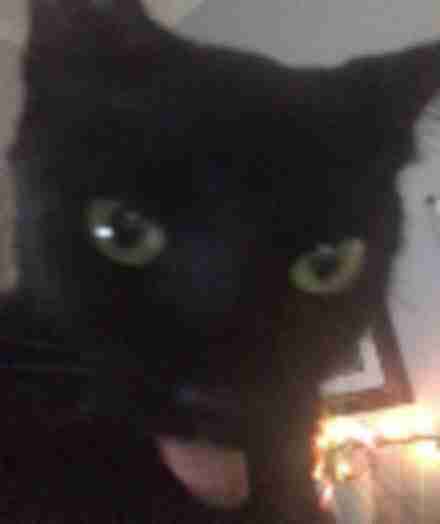
Moderate degradation: looks like a screenshotted screenshot
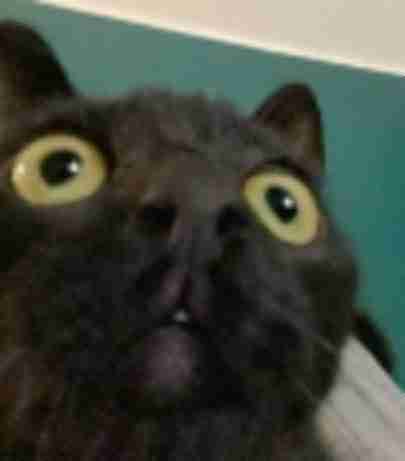
High degradation: the classic "sent via Bluetooth from 2006" look
Social Media and the Low Quality Aesthetic
Different platforms have different associations with image quality. Twitter/X users share degraded reaction images constantly — the lower the quality, the more "earned" the meme feels. Reddit communities celebrate especially crusty images as a badge of how many times they've been shared. Facebook groups are notorious for running photos through so many saves that they look like abstract watercolor paintings.
Beyond humor, lowering image quality can serve practical social media purposes: making a product photo look "authentic" rather than staged, creating before/after contrasts, or generating thumbnails that stand out through their intentional roughness in a feed full of polished content.
How This Differs From Basic Image Compressors
Standard image compressors (like TinyPNG or Squoosh) reduce file size while trying to preserve visual quality. They're optimizers. This tool is the opposite — it's a creative degradation engine. Where a compressor hides its artifacts, this tool celebrates them. Combined with pixelation and noise, the result is an image that looks distinctly, characteristically "bad quality" in a way that simple compression never achieves. For a detailed breakdown of this distinction, see our blog post on low quality maker vs image compressor. For specifically targeting compression artifacts, see the JPEG artifacts generator.
When NOT to use this tool
If you need to reduce file size while keeping your image looking good, use a proper image compressor like TinyPNG or Squoosh. If you need to resize for responsive layouts, use a proper resize tool. This tool is for intentional visual degradation — don't use it for professional photos, product images, or any context where image quality matters.
Frequently Asked Questions
How do I make an image low quality online?
Upload your image, adjust the sliders (pixelation, JPEG quality, noise, blur, resolution), and click Process. Download your degraded image instantly.
Why would I want to reduce image quality?
Meme creation, ironic social media posts, retro aesthetics, the "cursed image" look, thumbnails that stand out, and digital art exploring low-fi aesthetics are all common reasons.
Will this reduce my file size?
Yes, lower JPEG quality and resolution settings produce smaller files. But this tool prioritizes visual degradation — use a dedicated optimizer if file size reduction is your primary goal.
Does it work on mobile?
Yes, fully optimized for iOS and Android. Upload from your camera roll and download the result directly from your browser.
Is this free?
Yes. Completely free, no registration, no watermarks, unlimited uses.