JPEG Artifacts Generator
Add authentic JPEG compression artifacts — block distortion, color banding, and edge ringing — to any image. Free, instant, no signup required.
JPEG artifacts are the visual signatures of aggressive image compression — the blocky color regions, color halos, and loss of fine texture that appear when a JPEG is saved at very low quality. This tool lets you intentionally introduce these artifacts with precise control over compression level. Whether you're going for the classic "over-compressed meme" look or exploring the aesthetic of early internet image culture, this generator handles it server-side for consistent results. For the full degradation toolkit including pixelation and noise, see the low quality image maker.
Drag your image here or click to select
PNG, JPG, JPEG or WEBP (max. 10MB)
🗜️ JPEG Artifact Strength Guide
- Subtle Artifacts (barely noticeable): JPEG Quality 65–75% · Pixelation 2x · Noise 0%
- Classic "Saved Too Many Times": JPEG Quality 25% · Pixelation 4x · Noise 20%
- Strong Block Pattern Look: JPEG Quality 10–15% · Pixelation 2x · Noise 0%
- Full Deep Fried Combination: JPEG Quality 10% · Pixelation 14x · Noise 80%
- Pro tip: Keep pixelation low (2x–4x) and noise at 0% to showcase pure JPEG compression artifacts without other visual effects masking them.
What Are JPEG Artifacts?
JPEG compression uses a mathematical technique called Discrete Cosine Transform (DCT), which processes images in 8×8 pixel blocks. At high quality settings (90%+), these blocks are nearly invisible. As quality decreases, the algorithm discards more frequency information within each block, causing neighboring blocks to show increasingly obvious color boundaries — the distinctive rectangular patches and halos that define a "heavily compressed" image.
Specifically, JPEG artifacts manifest as: blocking (visible 8×8 grid of color regions), ringing (ghost edges around high-contrast boundaries), color smearing (chroma subsampling loss), and mosquito noise (buzzing texture around sharp edges). Each of these becomes more pronounced as quality decreases below 30%.
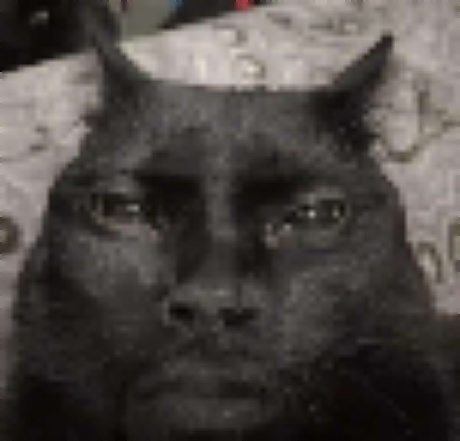
Heavy JPEG compression (10%) shows clear 8×8 block patterns

Color banding and ringing artifacts around high-contrast edges
Why JPEG Artifacts Are Culturally Iconic
JPEG artifacts are the visual fingerprint of Internet 1.0. Before broadband, images were compressed aggressively to reduce load times, and the resulting block artifacts became associated with the early web aesthetic. As image quality improved, this look became nostalgic — and then ironic. The deep fried meme aesthetic deliberately amplifies JPEG artifacts as a comedic signal, saying: "this image has survived the internet long enough to be worthy."
Beyond irony, JPEG artifacts have their own distinct aesthetic in digital art. Some artists use heavy compression deliberately for its texture effects — the block patterns create a kind of digital grain that smooth, uncompressed images lack entirely.
Using JPEG Artifacts vs Other Degradation Effects
JPEG artifacts alone produce a different look than pixelation or noise. A pure JPEG artifact image has clean edges within regions but blocky boundaries between them. Combined with pixelation (large pixel blocks) you get a doubled-up blocky effect. Combined with noise, you get the full deep fried meme texture. For the complete picture of what each effect does, the low quality image maker lets you mix all five independently. For general quality reduction including resolution, see make image low quality.
When NOT to use this tool
JPEG artifacts are the opposite of good image optimization. Do not use this for professional photography, product images, web performance optimization, or any use case where image clarity matters. For actual quality compression with visual fidelity, use dedicated image optimization tools.
Frequently Asked Questions
What are JPEG artifacts?
Visual distortions from aggressive JPEG compression: blocky 8×8 pixel regions, color banding, edge ringing, and loss of fine detail. They become visible below ~50% JPEG quality and very obvious below 25%.
How do I add JPEG artifacts to my image?
Upload your image, lower the JPEG Compression slider (try 10–25% for strong effects), and click Process. The server re-encodes at that quality, introducing real compression artifacts.
What quality level gives the best artifact look?
10–20% JPEG quality produces the most dramatic artifacts. Keep pixelation at 2x and noise at 0% to see pure compression blocks without other effects masking them.
Is this free?
Yes. Free, no registration, no watermarks, unlimited images.
How is this different from the deep fried meme generator?
This page focuses on understanding and controlling the JPEG artifact effect specifically. The deep fried meme generator combines artifacts with pixelation and noise for the full extreme meme aesthetic.